
 Join our Discord
Multicharacter Options Overview 🛠️
Debug:
- DebugEnabled: Enables printing data in the console for debugging purposes.
Character Panel Permissions:
- AllowedGroupPanel: Specifies the groups authorized to access the character panel.
Relogging:
- RelogEnabled: Enables the relog command.
- RelogCommand: Specifies the relog command.
Miscellaneous Options:
- ClothingSystem: Specifies the clothing system used.
- MaxSlot: Maximum available character slots.
- PositionMulticharMenu: Position of the multicharacter menu.
Animation and Scenario:
- UseScenario: Type of scenario camera used.
- CameraType: Type of camera used.
- ScenarioPrewievPlayer: Default scenario for character preview.
Camera:
- NameTableOwnedVeh: Name of the table to view owned vehicles.
- RandomVehicleSpawn: List of vehicles that can be randomly spawned in character selection preview.
- SpawnCharPrewiev: Spawn point for character selection.
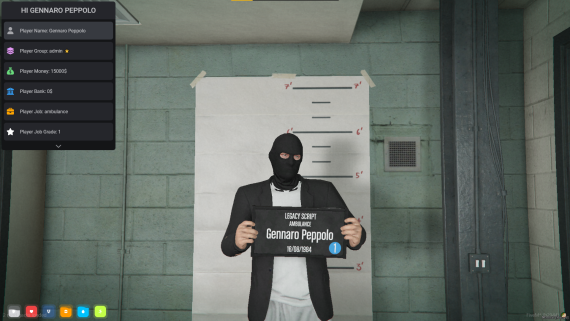
Mugshot:
- NameServerMugshot: Server name in the mugshot display.
Spawn Selector:
- SpawnSelectorEnable: Enables the spawn selector.
- EnableCommandSpawnSelector: Enables the command to open the spawn selector.
- CommandSpawnSelector: Command to open the spawn selector.
- SpawnSelector: List of selectable spawn positions.
Login Panel:
- Login Panel: Administrators can also delete player characters from the admin panel.
- CommandLoginPanel: Command to access the player login panel.